CognifyTasks A focused 30-day planner, designed and shipped end to end

OVERVIEW

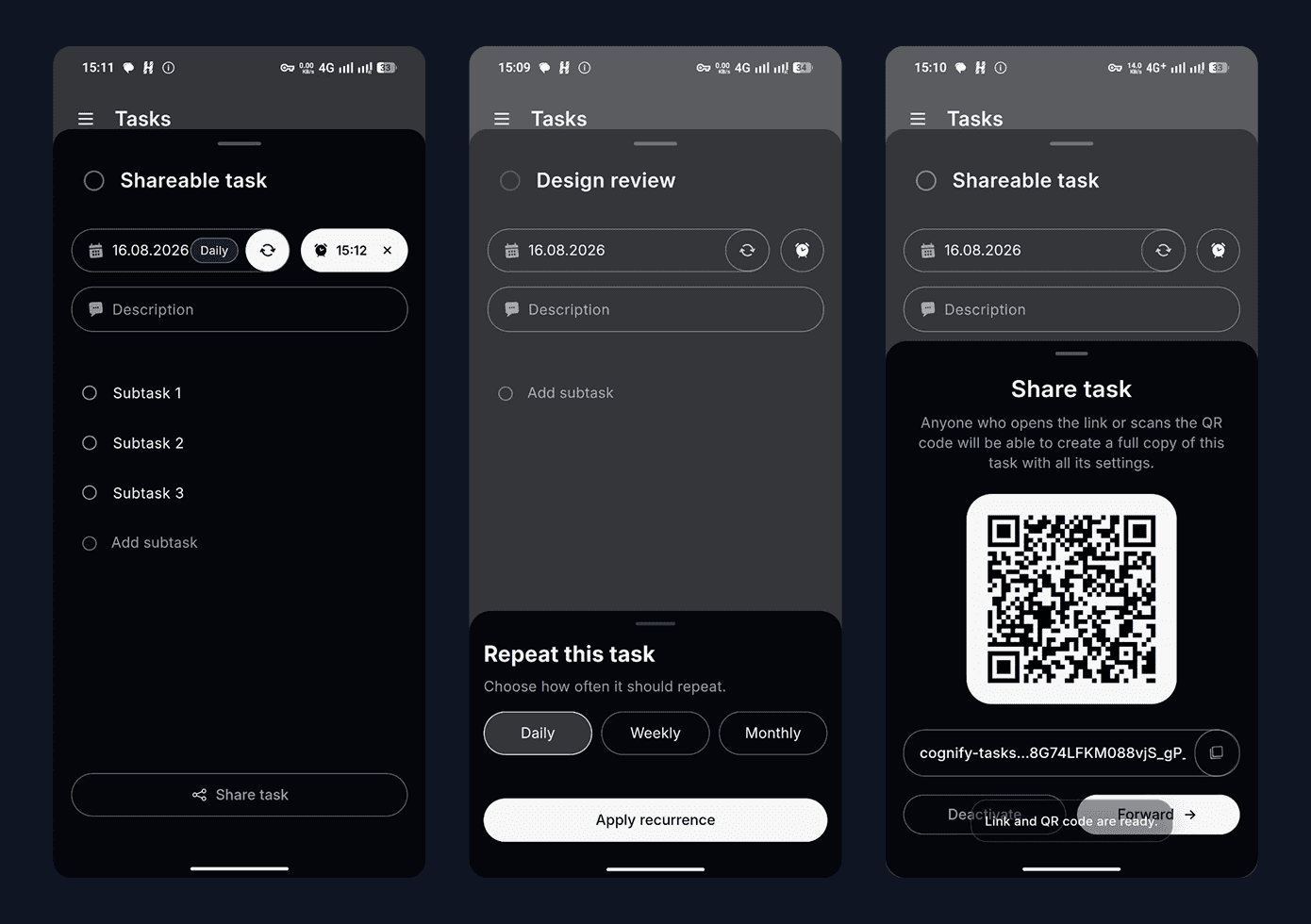
CognifyTasks is a cross-platform productivity product built around a simple idea: keep the next 30 days visible and make capturing tasks effortless. I took the product from concept to live releases on iOS, Android and Web, owning product strategy, UX/UI, the interaction system and Flutter implementation.

UI minimalistic widgets
An image of a smartphone on top of an eletronic surface

YEAR

2026

ROLE

FOUNDER
PRODUCT DESIGNER
FLUTTER DEVELOPER

About the project

LIVE PRODUCT · iOS · ANDROID · WEB · 10K+ GOOGLE PLAY DOWNLOADS · 14 LANGUAGES


The challenge

Planning tools often ask users to organise before they can act. Projects, lists, labels and views provide flexibility, but they also introduce setup cost.

My hypothesis was that a visible 30-day horizon could provide enough context for everyday planning without turning the product into another project-management system.
The core mental model

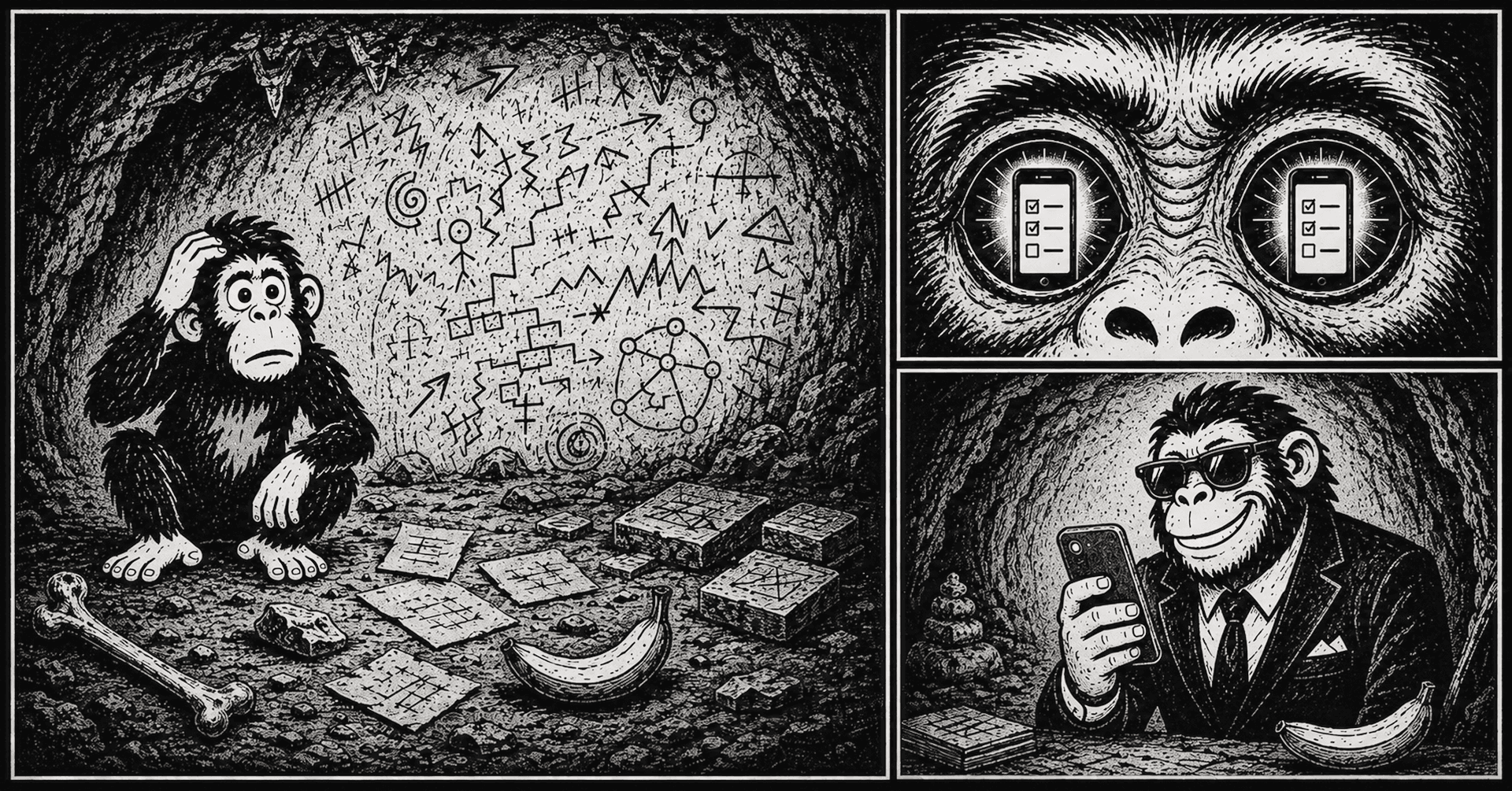
Time over hierarchy

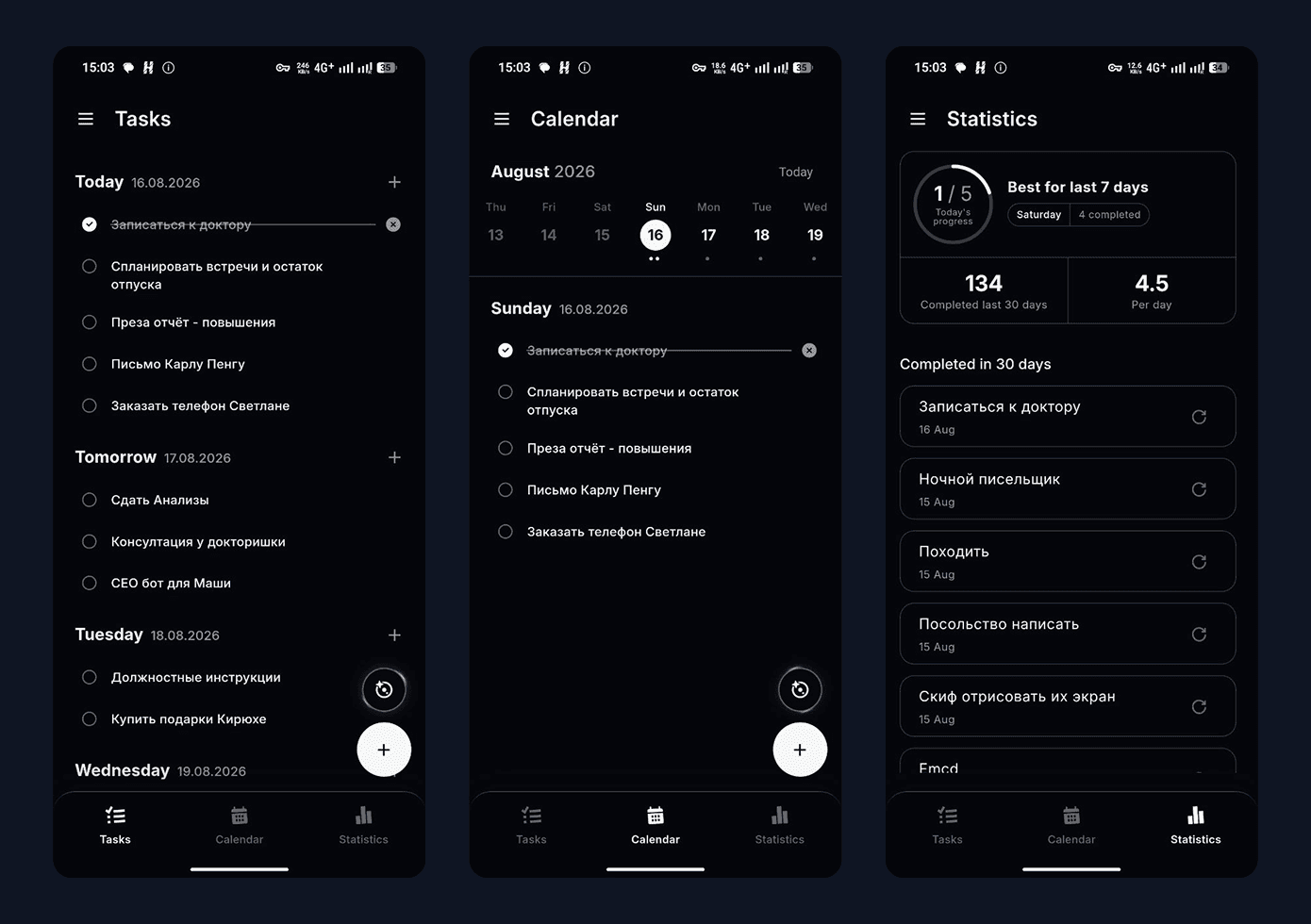
The primary object in CognifyTasks is the day, not the project. Today anchors the experience, while upcoming days remain visible in one continuous timeline. Tasks can be moved directly between days, and unfinished work returns to the user’s current focus.
Main screens

Capture without friction

From scattered input to an editable task

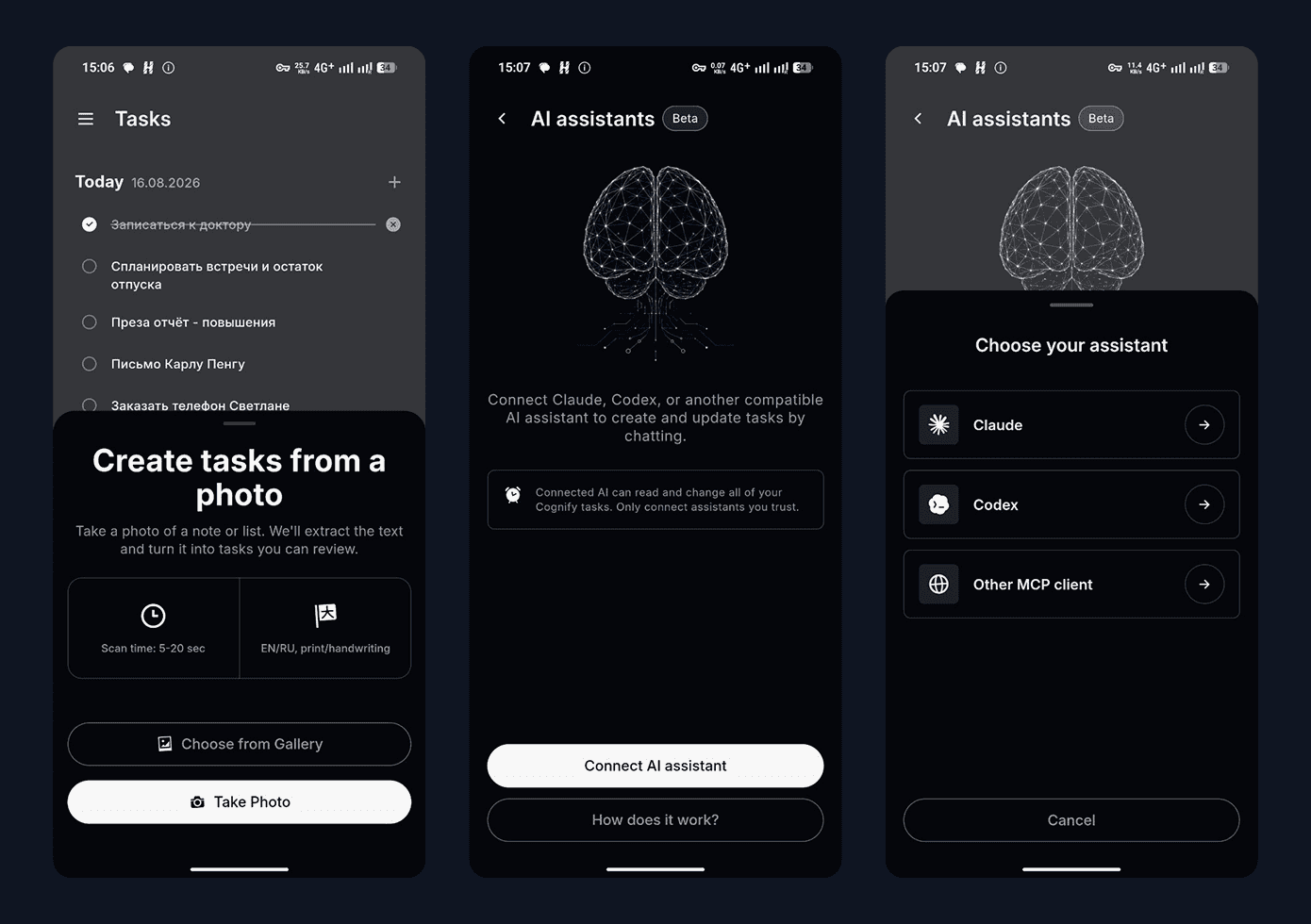
Users can create a task manually, turn a photo or screenshot into structured drafts, receive a task through a shared link, or connect an MCP-compatible assistant. AI is treated as an input layer rather than a destination: it reduces capture friction while keeping the user in control of the final plan.

Photo or screenshot → recognition → editable draft → selected date → task created

Claude/Codex conversation → MCP connection → task appears in Cognify
AI features

Interaction design

  • Fast editing

  • Direct rescheduling

  • Recurring routines

  • Push notifications

  • Sharing tasks

A system across platforms

One product language across mobile and web

A shared Flutter foundation allowed me to move quickly across platforms, while interaction patterns were adapted to the context of mobile, desktop and system notifications rather than copied mechanically between screens.
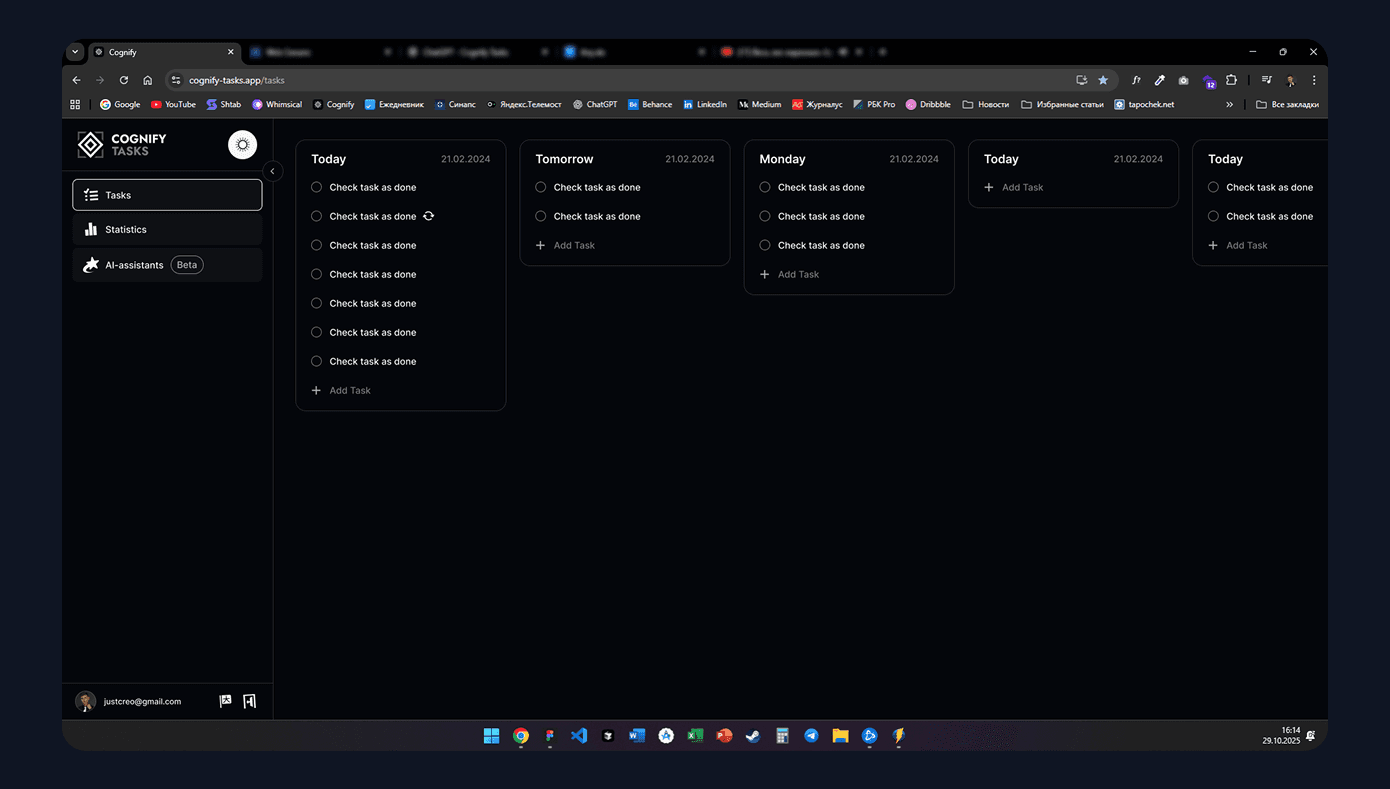
Building the product

v1.0 — 30-day timeline, task creation, sync
v1.1 — encryption, recurring tasks
v1.2 — widgets, redesigned calendar, interaction improvements
v1.3 — Image-to-task, AI Connections, sharing and reliability work


Outcomes

From a personal prototype to a live cross-platform product

  • 10K+ Google Play downloads

  • 1.5K - Active users in the last 30 days

  • 380 - Active users in the last 7 days

  • 4.25 - Google Play rating

  • 3 platforms

  • 14 languages

Acquisition proved that the product could reach a global audience. Usage and cohort data also revealed the next design challenge: improving first-session activation and helping users build a recurring planning habit.


Reflection

Building CognifyTasks changed how I work as a designer. Shipping the product myself forced me to consider implementation cost, migration safety, offline behaviour, store requirements and long-term maintainability alongside interaction and visual quality.

The next product challenge is no longer adding features, but improving activation and helping new users understand the 30-day model faster.

Smooth Scroll
This will hide itself!

CognifyTasks A focused 30-day planner, designed and shipped end to end

OVERVIEW

CognifyTasks is a cross-platform productivity product built around a simple idea: keep the next 30 days visible and make capturing tasks effortless. I took the product from concept to live releases on iOS, Android and Web, owning product strategy, UX/UI, the interaction system and Flutter implementation.

UI minimalistic widgets
An image of a smartphone on top of an eletronic surface

YEAR

2026

ROLE

FOUNDER
PRODUCT DESIGNER
FLUTTER DEVELOPER

About the project

LIVE PRODUCT · iOS · ANDROID · WEB · 10K+ GOOGLE PLAY DOWNLOADS · 14 LANGUAGES


The challenge

Planning tools often ask users to organise before they can act. Projects, lists, labels and views provide flexibility, but they also introduce setup cost.

My hypothesis was that a visible 30-day horizon could provide enough context for everyday planning without turning the product into another project-management system.

The core mental model

Time over hierarchy

The primary object in CognifyTasks is the day, not the project. Today anchors the experience, while upcoming days remain visible in one continuous timeline. Tasks can be moved directly between days, and unfinished work returns to the user’s current focus.

Main screens

Capture without friction

From scattered input to an editable task

Users can create a task manually, turn a photo or screenshot into structured drafts, receive a task through a shared link, or connect an MCP-compatible assistant. AI is treated as an input layer rather than a destination: it reduces capture friction while keeping the user in control of the final plan.

Photo or screenshot → recognition → editable draft → selected date → task created

Claude/Codex conversation → MCP connection → task appears in Cognify

AI features

Interaction design

  • Fast editing

  • Direct rescheduling

  • Recurring routines

  • Push notifications

  • Sharing tasks

A system across platforms

One product language across mobile and web

A shared Flutter foundation allowed me to move quickly across platforms, while interaction patterns were adapted to the context of mobile, desktop and system notifications rather than copied mechanically between screens.

Building the product

v1.0 — 30-day timeline, task creation, sync
v1.1 — encryption, recurring tasks
v1.2 — widgets, redesigned calendar, interaction improvements
v1.3 — Image-to-task, AI Connections, sharing and reliability work


Outcomes

From a personal prototype to a live cross-platform product

  • 10K+ Google Play downloads

  • 1.5K - Active users in the last 30 days

  • 380 - Active users in the last 7 days

  • 4.25 - Google Play rating

  • 3 platforms

  • 14 languages

Acquisition proved that the product could reach a global audience. Usage and cohort data also revealed the next design challenge: improving first-session activation and helping users build a recurring planning habit.


Reflection

Building CognifyTasks changed how I work as a designer. Shipping the product myself forced me to consider implementation cost, migration safety, offline behaviour, store requirements and long-term maintainability alongside interaction and visual quality.

The next product challenge is no longer adding features, but improving activation and helping new users understand the 30-day model faster.

Smooth Scroll
This will hide itself!

CognifyTasks A focused 30-day planner, designed and shipped end to end

OVERVIEW

CognifyTasks is a cross-platform productivity product built around a simple idea: keep the next 30 days visible and make capturing tasks effortless. I took the product from concept to live releases on iOS, Android and Web, owning product strategy, UX/UI, the interaction system and Flutter implementation.

UI minimalistic widgets
An image of a smartphone on top of an eletronic surface

YEAR

2026

ROLE

FOUNDER
PRODUCT DESIGNER
FLUTTER DEVELOPER

About the project

LIVE PRODUCT · iOS · ANDROID · WEB · 10K+ GOOGLE PLAY DOWNLOADS · 14 LANGUAGES


The challenge

Planning tools often ask users to organise before they can act. Projects, lists, labels and views provide flexibility, but they also introduce setup cost.

My hypothesis was that a visible 30-day horizon could provide enough context for everyday planning without turning the product into another project-management system.

The core mental model

Time over hierarchy

The primary object in CognifyTasks is the day, not the project. Today anchors the experience, while upcoming days remain visible in one continuous timeline. Tasks can be moved directly between days, and unfinished work returns to the user’s current focus.

Main screens

Capture without friction

From scattered input to an editable task

Users can create a task manually, turn a photo or screenshot into structured drafts, receive a task through a shared link, or connect an MCP-compatible assistant. AI is treated as an input layer rather than a destination: it reduces capture friction while keeping the user in control of the final plan.

Photo or screenshot → recognition → editable draft → selected date → task created

Claude/Codex conversation → MCP connection → task appears in Cognify

AI features

Interaction design

  • Fast editing

  • Direct rescheduling

  • Recurring routines

  • Push notifications

  • Sharing tasks

A system across platforms

One product language across mobile and web

A shared Flutter foundation allowed me to move quickly across platforms, while interaction patterns were adapted to the context of mobile, desktop and system notifications rather than copied mechanically between screens.

Building the product

v1.0 — 30-day timeline, task creation, sync
v1.1 — encryption, recurring tasks
v1.2 — widgets, redesigned calendar, interaction improvements
v1.3 — Image-to-task, AI Connections, sharing and reliability work


Outcomes

From a personal prototype to a live cross-platform product

  • 10K+ Google Play downloads

  • 1.5K - Active users in the last 30 days

  • 380 - Active users in the last 7 days

  • 4.25 - Google Play rating

  • 3 platforms

  • 14 languages

Acquisition proved that the product could reach a global audience. Usage and cohort data also revealed the next design challenge: improving first-session activation and helping users build a recurring planning habit.


Reflection

Building CognifyTasks changed how I work as a designer. Shipping the product myself forced me to consider implementation cost, migration safety, offline behaviour, store requirements and long-term maintainability alongside interaction and visual quality.

The next product challenge is no longer adding features, but improving activation and helping new users understand the 30-day model faster.

Smooth Scroll
This will hide itself!

Create a free website with Framer, the website builder loved by startups, designers and agencies.